10 Crucial Steps If You’re a Victim of Cyber Fraud
10 Crucial Steps If You’re a Victim of Cyber Fraud
10 Crucial Steps If You’re a Victim of Cyber Fraud Read More »
10 Crucial Steps If You’re a Victim of Cyber Fraud

Coverage of cyber threats, fraud prevention, scams, malware, and personal security guidance.
10 Crucial Steps If You’re a Victim of Cyber Fraud
10 Crucial Steps If You’re a Victim of Cyber Fraud Read More »
10 Crucial Steps If You’re a Victim of Cyber Fraud
In this digital age where people are connected with each other at all times, personal information and private conversations often find their way onto the internet through various means. One of the most distressing scenarios involves being blackmailed with threats to leak your chats and personal images. This is a harrowing situation, but it’s essential to remember that there are steps you can take from a cybersecurity perspective to protect your online privacy and mitigate the potential harm. In this article, we’ll explore strategies to help you regain control and safeguard your digital identity. Maintain Composure and Assess the Situation In the face of blackmail threats, it’s crucial to stay calm and make informed decisions. Emotional reactions can lead to hasty choices that might exacerbate the situation. Take some time to evaluate the severity of the threat and gather information about the blackmailer’s intentions. Refrain from Complying with Demands Resist the temptation to give in to the blackmailer’s demands. Paying them or complying with their requests won’t guarantee that they won’t expose your information anyway. Additionally, it may encourage further extortion attempts. Document All Threats It is vital to record all communication with the blackmailer, including emails, messages, and any other forms of communication. This evidence could be crucial if you decide to involve law enforcement. Seek Legal Guidance Consider contacting an attorney or a legal expert who specialises in cybercrimes. They can guide you on the best course of action based on your specific circumstances and local laws. Report the Blackmailer to Law Enforcement Contact your local law enforcement agency and provide them with all the evidence you have gathered. They may be able to trace the blackmailer’s online activities and take appropriate legal action. Change Your Passwords Immediately change the passwords for all your online accounts, especially those related to the threatened content. Ensure you use strong, unique passwords for each account. Consider using a reputable password manager to help generate and store complex passwords. Enable Two-Factor Authentication (2FA) Activate 2FA on all your online accounts that support it. This adds an extra layer of security and makes it significantly harder for hackers to gain access to your accounts, even if they have your password. Secure Your Social Media Profiles Review your social media privacy settings and limit the information that can be accessed by the public or friends of friends. Be cautious about accepting friend requests or messages from unknown individuals. Scan for Malware Perform a comprehensive scan of your devices (computer, smartphone, tablet) for malware or spyware. Use reputable antivirus and anti-malware software to remove any malicious software that might have been installed without your knowledge. Backup Important Data Back up all important data to an external drive or a secure cloud storage service. This includes personal photos and chats. In case the blackmailer succeeds in accessing or deleting your data, you’ll have a backup copy. Contact Platform Administrators If the threat involves content on social media or messaging platforms, report the issue to the platform administrators. They may be able to assist in removing or blocking the blackmailer. Educate Yourself and Practice Cybersecurity Hygiene Take this experience as an opportunity to become more cyber-savvy. Educate yourself about online threats and practise good cybersecurity hygiene. Regularly update your software, be cautious about sharing personal information, and stay vigilant online. Conclusion Being blackmailed to leak your chats and personal images is a distressing situation, but with the right actions, you can protect your online privacy and mitigate the damage. Remember, the key is to stay calm, document the threats, and seek legal assistance. By following these steps and enhancing your cybersecurity practices, you can regain control of your digital identity and reduce the risk of future threats. Reach out to us today & let’s talk about how we can help you!
Protect Your Online Privacy: How to Deal With Online Blackmail Read More »
In this digital age where people are connected with each other at all times, personal information and private conversations often find their way onto the internet through various means. One of the most distressing scenarios involves being blackmailed with threats to leak your chats and personal images. This is a harrowing situation, but it’s essential to remember that there are steps you can take from a cybersecurity perspective to protect your online privacy and mitigate the potential harm. In this article, we’ll explore strategies to help you regain control and safeguard your digital identity. Maintain Composure and Assess the Situation In the face of blackmail threats, it’s crucial to stay calm and make informed decisions. Emotional reactions can lead to hasty choices that might exacerbate the situation. Take some time to evaluate the severity of the threat and gather information about the blackmailer’s intentions. Refrain from Complying with Demands Resist the temptation to give in to the blackmailer’s demands. Paying them or complying with their requests won’t guarantee that they won’t expose your information anyway. Additionally, it may encourage further extortion attempts. Document All Threats It is vital to record all communication with the blackmailer, including emails, messages, and any other forms of communication. This evidence could be crucial if you decide to involve law enforcement. Seek Legal Guidance Consider contacting an attorney or a legal expert who specialises in cybercrimes. They can guide you on the best course of action based on your specific circumstances and local laws. Report the Blackmailer to Law Enforcement Contact your local law enforcement agency and provide them with all the evidence you have gathered. They may be able to trace the blackmailer’s online activities and take appropriate legal action. Change Your Passwords Immediately change the passwords for all your online accounts, especially those related to the threatened content. Ensure you use strong, unique passwords for each account. Consider using a reputable password manager to help generate and store complex passwords. Enable Two-Factor Authentication (2FA) Activate 2FA on all your online accounts that support it. This adds an extra layer of security and makes it significantly harder for hackers to gain access to your accounts, even if they have your password. Secure Your Social Media Profiles Review your social media privacy settings and limit the information that can be accessed by the public or friends of friends. Be cautious about accepting friend requests or messages from unknown individuals. Scan for Malware Perform a comprehensive scan of your devices (computer, smartphone, tablet) for malware or spyware. Use reputable antivirus and anti-malware software to remove any malicious software that might have been installed without your knowledge. Backup Important Data Back up all important data to an external drive or a secure cloud storage service. This includes personal photos and chats. In case the blackmailer succeeds in accessing or deleting your data, you’ll have a backup copy. Contact Platform Administrators If the threat involves content on social media or messaging platforms, report the issue to the platform administrators. They may be able to assist in removing or blocking the blackmailer. Educate Yourself and Practice Cybersecurity Hygiene Take this experience as an opportunity to become more cyber-savvy. Educate yourself about online threats and practise good cybersecurity hygiene. Regularly update your software, be cautious about sharing personal information, and stay vigilant online. Conclusion Being blackmailed to leak your chats and personal images is a distressing situation, but with the right actions, you can protect your online privacy and mitigate the damage. Remember, the key is to stay calm, document the threats, and seek legal assistance. By following these steps and enhancing your cybersecurity practices, you can regain control of your digital identity and reduce the risk of future threats. Reach out to us today & let’s talk about how we can help you!

Mobile devices have revolutionized the way we communicate, access information, and conduct transactions. The rise of mobile banking has made it easier for individuals to manage their finances, transfer money, and pay bills from the comfort of their homes or while on the go. However, with the convenience of mobile banking comes the risk of cyber threats that can compromise personal and financial information. In this article, we will assess the threat of using portable devices to access banking services and highlight the risks involved. Portable devices such as smartphones and tablets have become pervasive in our daily lives. As the use of portable devices continues to grow, so do the security risks associated with them. Cybercriminals are always on the lookout for vulnerabilities in mobile devices that they can exploit to gain access to sensitive information such as login credentials, bank account numbers, and personal identification numbers (PINs). Mobile banking is a very popular and useful feature of portable devices that enables users to perform a wide range of financial transactions such as checking account balances, paying bills, transferring funds, and even applying for loans. However, the ease and convenience of mobile banking come with risks such as malware attacks, phishing scams, and identity theft. Cybercriminals can use various tactics to gain access to mobile banking apps and compromise sensitive information. Risks Associated with Mobile Banking One of the most significant risks associated with mobile banking is malware. Malware is malicious software that is designed to infiltrate mobile devices and steal sensitive information such as login credentials and bank account numbers. Malware can enter mobile devices through various means such as infected apps, phishing emails, or unsecured Wi-Fi networks. Once installed on a mobile device, malware can remain undetected for a long time and can compromise sensitive information without the user’s knowledge. Another significant risk associated with mobile banking is phishing. Phishing is a technique used by cybercriminals to trick users into providing sensitive information such as login credentials and bank account numbers. Phishing attacks can be carried out through various means such as email, text messages, and social media. Phishing attacks can be difficult to detect as they are often disguised as legitimate messages from banks or other financial institutions. Identity theft is also a significant risk associated with mobile banking. Identity theft occurs when cybercriminals use stolen personal information to open new bank accounts or apply for loans in the victim’s name. Identity theft can result in financial losses for the victim and can also damage their credit score. How to Mitigate the Risks Associated with Mobile Banking? To mitigate the risks associated with mobile banking, there are several best practices that users can adopt. Firstly, users should only download mobile banking apps from trusted sources such as the Apple App Store or Google Play Store. Secondly, users should ensure that their mobile devices are always updated with the latest software and security patches. Thirdly, users should use strong passwords or biometric authentication methods such as fingerprint or facial recognition to secure their mobile devices. Fourthly, users should avoid accessing mobile banking apps on unsecured Wi-Fi networks or public computers. Finally, users should regularly monitor their bank accounts for any suspicious activity and report any unauthorised transactions to their banks immediately. Conclusion In conclusion, the use of portable devices to access banking services has revolutionized the way we manage our finances. However, with the convenience of mobile banking comes the risk of cyber threats that can compromise personal and financial information. The risks associated with mobile banking can be mitigated by adopting best practices such as downloading apps from trusted sources, using strong passwords or biometric authentication methods, avoiding unsecured Wi-Fi networks, and monitoring bank accounts for suspicious activity. By following these best practices, users can enjoy the benefits of mobile banking without compromising their security and peace of mind. It is also important for banks and financial institutions to take steps to ensure the security of their mobile banking apps. Banks can implement various security measures such as two-factor authentication, encryption, and device recognition to ensure that only authorized users can access their mobile banking apps. Banks can also educate their customers on best practices for mobile banking and provide support for any security concerns. Moreover, banks can also invest in mobile device management (MDM) solutions to manage and secure mobile devices used by their employees. MDM solutions can help ensure that employees’ devices are updated with the latest software and security patches and are compliant with the organisation’s security policies. MDM solutions can also enable banks to remotely wipe data from lost or stolen devices to prevent unauthorised access to sensitive information. To summarize, while the use of portable devices to access banking services has made our lives easier, it has also brought about security risks that cannot be ignored. By adopting best practices for mobile banking and implementing security measures, both users and banks can minimise the risks associated with mobile banking and ensure the security of their sensitive information. As the use of portable devices continues to grow, it is essential for all stakeholders to remain vigilant and proactive in mitigating the security risks associated with mobile banking. Reach out to us today & let’s talk about how we can help you!
Securely Access Mobile Banking by Mitigating Risks Portable Devices Read More »
Mobile devices have revolutionized the way we communicate, access information, and conduct transactions. The rise of mobile banking has made it easier for individuals to manage their finances, transfer money, and pay bills from the comfort of their homes or while on the go. However, with the convenience of mobile banking comes the risk of cyber threats that can compromise personal and financial information. In this article, we will assess the threat of using portable devices to access banking services and highlight the risks involved. Portable devices such as smartphones and tablets have become pervasive in our daily lives. As the use of portable devices continues to grow, so do the security risks associated with them. Cybercriminals are always on the lookout for vulnerabilities in mobile devices that they can exploit to gain access to sensitive information such as login credentials, bank account numbers, and personal identification numbers (PINs). Mobile banking is a very popular and useful feature of portable devices that enables users to perform a wide range of financial transactions such as checking account balances, paying bills, transferring funds, and even applying for loans. However, the ease and convenience of mobile banking come with risks such as malware attacks, phishing scams, and identity theft. Cybercriminals can use various tactics to gain access to mobile banking apps and compromise sensitive information. Risks Associated with Mobile Banking One of the most significant risks associated with mobile banking is malware. Malware is malicious software that is designed to infiltrate mobile devices and steal sensitive information such as login credentials and bank account numbers. Malware can enter mobile devices through various means such as infected apps, phishing emails, or unsecured Wi-Fi networks. Once installed on a mobile device, malware can remain undetected for a long time and can compromise sensitive information without the user’s knowledge. Another significant risk associated with mobile banking is phishing. Phishing is a technique used by cybercriminals to trick users into providing sensitive information such as login credentials and bank account numbers. Phishing attacks can be carried out through various means such as email, text messages, and social media. Phishing attacks can be difficult to detect as they are often disguised as legitimate messages from banks or other financial institutions. Identity theft is also a significant risk associated with mobile banking. Identity theft occurs when cybercriminals use stolen personal information to open new bank accounts or apply for loans in the victim’s name. Identity theft can result in financial losses for the victim and can also damage their credit score. How to Mitigate the Risks Associated with Mobile Banking? To mitigate the risks associated with mobile banking, there are several best practices that users can adopt. Firstly, users should only download mobile banking apps from trusted sources such as the Apple App Store or Google Play Store. Secondly, users should ensure that their mobile devices are always updated with the latest software and security patches. Thirdly, users should use strong passwords or biometric authentication methods such as fingerprint or facial recognition to secure their mobile devices. Fourthly, users should avoid accessing mobile banking apps on unsecured Wi-Fi networks or public computers. Finally, users should regularly monitor their bank accounts for any suspicious activity and report any unauthorised transactions to their banks immediately. Conclusion In conclusion, the use of portable devices to access banking services has revolutionized the way we manage our finances. However, with the convenience of mobile banking comes the risk of cyber threats that can compromise personal and financial information. The risks associated with mobile banking can be mitigated by adopting best practices such as downloading apps from trusted sources, using strong passwords or biometric authentication methods, avoiding unsecured Wi-Fi networks, and monitoring bank accounts for suspicious activity. By following these best practices, users can enjoy the benefits of mobile banking without compromising their security and peace of mind. It is also important for banks and financial institutions to take steps to ensure the security of their mobile banking apps. Banks can implement various security measures such as two-factor authentication, encryption, and device recognition to ensure that only authorized users can access their mobile banking apps. Banks can also educate their customers on best practices for mobile banking and provide support for any security concerns. Moreover, banks can also invest in mobile device management (MDM) solutions to manage and secure mobile devices used by their employees. MDM solutions can help ensure that employees’ devices are updated with the latest software and security patches and are compliant with the organisation’s security policies. MDM solutions can also enable banks to remotely wipe data from lost or stolen devices to prevent unauthorised access to sensitive information. To summarize, while the use of portable devices to access banking services has made our lives easier, it has also brought about security risks that cannot be ignored. By adopting best practices for mobile banking and implementing security measures, both users and banks can minimise the risks associated with mobile banking and ensure the security of their sensitive information. As the use of portable devices continues to grow, it is essential for all stakeholders to remain vigilant and proactive in mitigating the security risks associated with mobile banking. Reach out to us today & let’s talk about how we can help you!
Encrypting Viruses: What Are They and How Can You Protect Yourself from Them? In today’s digitally interconnected world, our reliance on digital systems has grown exponentially. With the rise of the internet and the increasing use of online platforms for the storage and sharing of data, the threat of cyber-attacks is a pressing concern. One such threat is the encrypting virus, also known as ransomware. In this article, we will take a look at what encrypting viruses are, how they work, and how to protect yourself from them. What are Encrypting Viruses? Encrypting viruses are a kind of malware that encrypts the data on the target’s computer making it inaccessible. The attacker then demands payment in exchange for the decryption key that the victim needs to unlock the encrypted data. Encrypting viruses have become very popular among cybercriminals as they are relatively easy to create and deploy, and they provide a quick and easy, albeit illegal, way to make money. How do Encrypting Viruses Work? Encrypting viruses work by infiltrating a target’s computer through a number of means, such as email attachments, malicious websites, or infected software downloads. Once the virus has infected the computer, it proceeds to encrypt the files on the victim’s hard drive, including documents, photos, videos, and other types of data. Encrypting viruses use a strong encryption algorithm that can only be decrypted with a unique key held by the attacker. Once the encryption process is complete, the virus then displays a random note on the victim’s screen, demanding payment in exchange for the decryption key. Payment is generally demanded in a cryptocurrency such as Bitcoin, which is tough to trace. If the victim declines to pay, the attacker might threaten to delete the encrypted data or increase the ransom amount. They may even enforce a time limit on the victim in order to make them pay. Common Encrypting Viruses There are many different types of encrypting viruses, and they all have their own unique characteristics and methods of attack. Some of the most common encrypting viruses include: WannaCry WannaCry is an encrypting virus attack that spread all over the globe in 2017. It attacked computers that ran Microsoft Windows and encrypted files on the infected computer, demanding payment in Bitcoin. Petya Petya is a ransomware attack that began in Ukraine in 2017. The medium it used to spread was infected software updates. The Petya ransomware encrypted the victim’s entire hard drive, making it unusable. As it became impossible to access any data on the computer, the ransomware demanded payment in Bitcoin and is often spread via phishing emails or through vulnerabilities in software. Locky Locky is a ransomware attack that emerged in 2016. It spread through email attachments and encrypted a wide range of file types, including documents, videos, and photos. It is distributed through phishing emails that contain malicious attachments so that once the attachment is opened, Locky can encrypt the victim’s files and demand a ransom payment in Bitcoin. Crypto locker Cryptolocker is a ransomware that was detected for the first time in 2013. It encrypts the victim’s files and demands a ransom in exchange for the decryption key. How to Protect Against Encrypting Viruses? The best way to protect against encrypting viruses is to take a proactive approach to cybersecurity. Here are some steps that you can take to protect yourself: Conclusion Encrypting viruses are a grave threat to individuals and businesses alike which is why it is essential to take proactive measures to defend against them. Some of these measures include backing up your data from time to time, keeping your software updated, using antivirus and antimalware software, using strong passwords, and educating yourself as well as your staff on best practices for cybersecurity. Though there are many different types of encrypting viruses, they all share a common goal: holding your data hostage and demanding a ransom payment for the decryption key. It is important to be vigilant and take steps to ensure that such attacks do not occur. Along with proactive measures, it is also necessary to have a reactive response plan in place in the event of an attack. This includes isolating systems that are infected, reporting the attack to law enforcement, and seeking professional assistance to recover your data. In conclusion, encrypting viruses are a growing threat that can cause substantial financial and reputational damage. By taking proactive measures and having a reactive response plan in place, you can protect yourself and your business from ransomware attacks. Remember to stay vigilant and informed to stay ahead of the ever-evolving threat landscape. Reach out to us today & let’s talk about how we can help you! Website: Secureu | E-mail: contact-us@secureu.in | Contact us: Instagram, Twitter Youtube & LinkedIn
Encrypting Viruses: How Can You Protect Yourself from Them? Read More »
Encrypting Viruses: What Are They and How Can You Protect Yourself from Them? In today’s digitally interconnected world, our reliance on digital systems has grown exponentially. With the rise of the internet and the increasing use of online platforms for the storage and sharing of data, the threat of cyber-attacks is a pressing concern. One such threat is the encrypting virus, also known as ransomware. In this article, we will take a look at what encrypting viruses are, how they work, and how to protect yourself from them. What are Encrypting Viruses? Encrypting viruses are a kind of malware that encrypts the data on the target’s computer making it inaccessible. The attacker then demands payment in exchange for the decryption key that the victim needs to unlock the encrypted data. Encrypting viruses have become very popular among cybercriminals as they are relatively easy to create and deploy, and they provide a quick and easy, albeit illegal, way to make money. How do Encrypting Viruses Work? Encrypting viruses work by infiltrating a target’s computer through a number of means, such as email attachments, malicious websites, or infected software downloads. Once the virus has infected the computer, it proceeds to encrypt the files on the victim’s hard drive, including documents, photos, videos, and other types of data. Encrypting viruses use a strong encryption algorithm that can only be decrypted with a unique key held by the attacker. Once the encryption process is complete, the virus then displays a random note on the victim’s screen, demanding payment in exchange for the decryption key. Payment is generally demanded in a cryptocurrency such as Bitcoin, which is tough to trace. If the victim declines to pay, the attacker might threaten to delete the encrypted data or increase the ransom amount. They may even enforce a time limit on the victim in order to make them pay. Common Encrypting Viruses There are many different types of encrypting viruses, and they all have their own unique characteristics and methods of attack. Some of the most common encrypting viruses include: WannaCry WannaCry is an encrypting virus attack that spread all over the globe in 2017. It attacked computers that ran Microsoft Windows and encrypted files on the infected computer, demanding payment in Bitcoin. Petya Petya is a ransomware attack that began in Ukraine in 2017. The medium it used to spread was infected software updates. The Petya ransomware encrypted the victim’s entire hard drive, making it unusable. As it became impossible to access any data on the computer, the ransomware demanded payment in Bitcoin and is often spread via phishing emails or through vulnerabilities in software. Locky Locky is a ransomware attack that emerged in 2016. It spread through email attachments and encrypted a wide range of file types, including documents, videos, and photos. It is distributed through phishing emails that contain malicious attachments so that once the attachment is opened, Locky can encrypt the victim’s files and demand a ransom payment in Bitcoin. Crypto locker Cryptolocker is a ransomware that was detected for the first time in 2013. It encrypts the victim’s files and demands a ransom in exchange for the decryption key. How to Protect Against Encrypting Viruses? The best way to protect against encrypting viruses is to take a proactive approach to cybersecurity. Here are some steps that you can take to protect yourself: Conclusion Encrypting viruses are a grave threat to individuals and businesses alike which is why it is essential to take proactive measures to defend against them. Some of these measures include backing up your data from time to time, keeping your software updated, using antivirus and antimalware software, using strong passwords, and educating yourself as well as your staff on best practices for cybersecurity. Though there are many different types of encrypting viruses, they all share a common goal: holding your data hostage and demanding a ransom payment for the decryption key. It is important to be vigilant and take steps to ensure that such attacks do not occur. Along with proactive measures, it is also necessary to have a reactive response plan in place in the event of an attack. This includes isolating systems that are infected, reporting the attack to law enforcement, and seeking professional assistance to recover your data. In conclusion, encrypting viruses are a growing threat that can cause substantial financial and reputational damage. By taking proactive measures and having a reactive response plan in place, you can protect yourself and your business from ransomware attacks. Remember to stay vigilant and informed to stay ahead of the ever-evolving threat landscape. Reach out to us today & let’s talk about how we can help you! Website: Secureu | E-mail: contact-us@secureu.in | Contact us: Instagram, Twitter Youtube & LinkedIn

Learn About Social Media Scams and How to Prevent Them Extensive use of social media makes us susceptible to social media scams. Here are some social media scams and tips on avoiding social media scams. How much do you use social media? Today, social media is an essential part of nearly everyone’s life. Globally, more than 3.8 billion people use it on a daily basis. The pandemic has changed how a lot of people interact with social media, and the increasing popularity of these platforms has created an increased risk of fraud and social media scams. Social media scams are getting more sophisticated with time, often making use of brand logos and duplicitous terms and conditions to seem authentic. In this article, we will take a look at some of the most popular social media scams and give you some tips to protect yourself when you use social media. The State of Social Media Scams For most of us, social media is a place that we can use to connect and communicate with our friends and family. However, cybercriminals treat social media as a goldmine of personal information and a platform they can use to potentially scam people. Research has shown that the number of social media attacks per target has seen an increase of 103% from January 2021. This emphasises the fact that cyber criminals regularly use social media to commit fraud, masquerade as trust brands and officials, and target users all over the world. Social media scams are a common occurrence as they depend on human error. These mistakes can come in the form of clicking on malicious links in private messages or posting something that reveals private information that can be used for identity theft. For instance, all a Facebook scammer needs to do to spread malware is to pretend to be an individual’s friend and fool them into downloading malware through the Messenger app. Types of Social Media Scams While there are hundreds of different types of social media scams, here are a few that you should be wary of: Tips to Avoid Social Media Scams Although modern scams are becoming increasingly sophisticated, here are some simple steps you can take to protect yourself from falling prey to a social media scam: Using these tips will surely help you avoid social media scams. It is extremely important to be vigilant while using social media and make sure you never overshare on any social media platforms. While social media connects you with your loved ones, it also puts you at risk, so it is best to use it wisely.
Learn About Social Media Scams and How to Prevent Them Read More »
Learn About Social Media Scams and How to Prevent Them Extensive use of social media makes us susceptible to social media scams. Here are some social media scams and tips on avoiding social media scams. How much do you use social media? Today, social media is an essential part of nearly everyone’s life. Globally, more than 3.8 billion people use it on a daily basis. The pandemic has changed how a lot of people interact with social media, and the increasing popularity of these platforms has created an increased risk of fraud and social media scams. Social media scams are getting more sophisticated with time, often making use of brand logos and duplicitous terms and conditions to seem authentic. In this article, we will take a look at some of the most popular social media scams and give you some tips to protect yourself when you use social media. The State of Social Media Scams For most of us, social media is a place that we can use to connect and communicate with our friends and family. However, cybercriminals treat social media as a goldmine of personal information and a platform they can use to potentially scam people. Research has shown that the number of social media attacks per target has seen an increase of 103% from January 2021. This emphasises the fact that cyber criminals regularly use social media to commit fraud, masquerade as trust brands and officials, and target users all over the world. Social media scams are a common occurrence as they depend on human error. These mistakes can come in the form of clicking on malicious links in private messages or posting something that reveals private information that can be used for identity theft. For instance, all a Facebook scammer needs to do to spread malware is to pretend to be an individual’s friend and fool them into downloading malware through the Messenger app. Types of Social Media Scams While there are hundreds of different types of social media scams, here are a few that you should be wary of: Tips to Avoid Social Media Scams Although modern scams are becoming increasingly sophisticated, here are some simple steps you can take to protect yourself from falling prey to a social media scam: Using these tips will surely help you avoid social media scams. It is extremely important to be vigilant while using social media and make sure you never overshare on any social media platforms. While social media connects you with your loved ones, it also puts you at risk, so it is best to use it wisely.
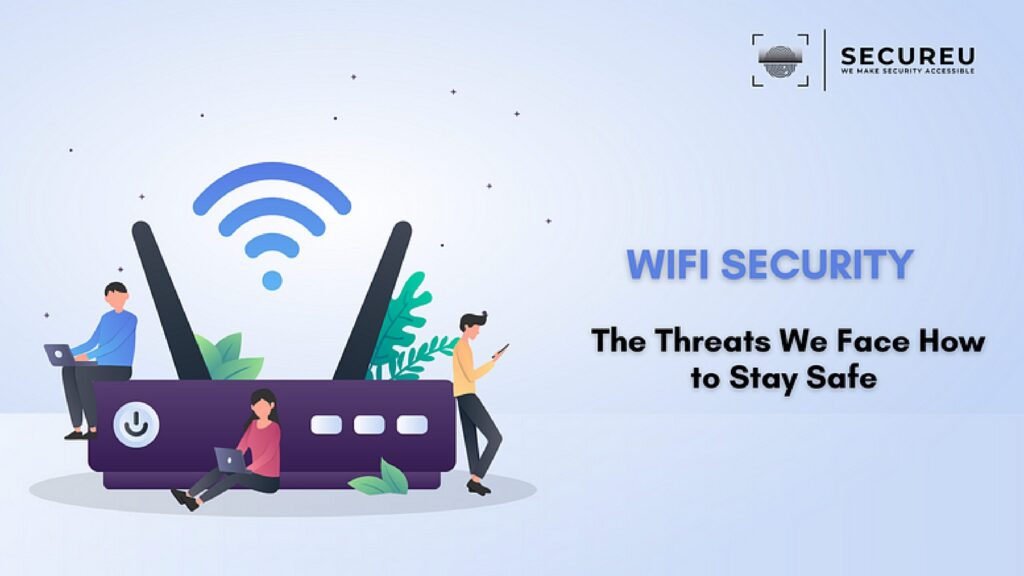
Wi-Fi Security: The Threats We Face and How to Stay Safe Wi-Fi security is essential for businesses and individuals alike. Secure your Wi-Fi with the help of the tips given. Wi-Fi security can protect your business from breaches. Today, it is very easy to connect to the Internet. In fact, most of us are connected to the Internet at all times. We use mobile devices, personal computer systems, gaming systems, and even our cars to do so. While some of these systems use wires and others use proprietary communication methods, we shall focus on Wi-Fi and Wi-Fi security issues. Many people lack awareness when it comes to Wi-Fi security which is why it is a topic that requires more consideration. As the number of devices connected to the Internet is constantly growing, it is essential to implement security strategies to minimise the risk of exploitation. Taking some precautions in the configuration and use of your devices can prevent malicious activities. Let’s dive right in. What is Wi-Fi and How Does it Work? Wi-Fi is a play on Hi-Fi or High Fidelity which is the quality of sound. Although it is not a direct pun as there is no quality of wirelessness, Wi-Fi is wireless and uses Radio Frequency instead of wires or fibre optics. A wireless or Wi-Fi network uses a radio frequency signal in lieu of wires to connect devices such as computers, printers and more to the Internet as well as to each other. Wi-Fi signals can be picked up by any device that has wireless capability within a certain distance in all directions. Simply put, it is a means for providing communication on a network wirelessly using Radio Frequencies. Data is passed and encoded as well as decoded using the 802.11 standards-compliant antennae and routers. Wi-Fi processes data in the Gigahertz range, which is the 2.4 and 5 GHz ranges as of now. So, contrary to wired networks, anyone can “touch” your communications media. This can lead to multiple security issues. What is Wi-Fi Security? Protecting devices and networks connected in a wireless environment is called Wi-Fi security. In the absence of Wi-Fi security, networking devices such as wireless access points or routers can be accessed by anyone using a computer or mobile device as long as they are in the range of the router’s wireless signal. In essence, Wi-Fi security is the act of barring unwanted users from accessing a particular wireless network. Moreover, Wi-Fi security, also called wireless security, tries to ensure that your data is only accessible to the users you authorise. Wi-Fi Security Protocols There are 4 main wireless or Wi-Fi security protocols. These protocols have been developed by the Wi-Fi Alliance which is an organisation that promotes wireless technologies and interoperability. This organisation introduced 3 of the protocols given below in the late 1990s. Since then, the protocols have been improved and have stronger encryption. The 4th protocol was released in 2018. Let’s have a look Wired Equivalent Privacy : was the first wireless security protocol. It used to be the standard method of providing wireless network security from the late 1990s to 2004. WEP was difficult to configure and used only basic (64- / 128-bit) encryption. This protocol is no longer considered secure. Weakness - There are many weaknesses in WEP such as key recovery attacks, initialization vector reuse, dictionary attacks, and fragmentation attacks. Due to this WEP is no longer considered to be secure and has been since replaced by WPA and WPA2. Wi-Fi Protected Access was developed in 2003. It delivers better and stronger (128-/256-bit) encryption compared to WEP by using a security protocol known as the Temporal Key Integrity Protocol (TKIP). WPA and WPA2 are the most common protocols in use today. However, unlike WPA2, WPA is compatible with older software. Weakness - One weakness of WPA is that it uses Temporal Key Integrity Protocol encryption algorithm which can be compromised by an attacker that can capture and analyse a large number of packets which will allow them to identify the key used to encrypt the packets. Another weakness is the pre-sharing of key for authentication. This means that the key must manually be entered into every device that connects to the wireless network which is inconvenient for users and can also create potential security vulnerabilities if the key is not managed properly. Wi-Fi Protected Access 2 This later version of WPA was developed in 2004. It is easier to configure and provides better network security compared to WPA by using a security protocol called the Advanced Encryption Standard (AES). Different versions of WPA2 protocol are available for individuals and enterprises. Weakness - WPA2 has the same weakness as WPA in that both of them use a pre-shared key for authentication. Other than that, WPA2 is vulnerable to certain kinds of attacks like dictionary attacks and brute force attacks, if a user uses a weak password for the pre-shared key. WPA2 is also susceptible to vulnerabilities in the underlying Wi-Fi standard such as the KRACK or Key Reinstallation Attack which was discovered in 2017. Wi-Fi Protected Access 3 is a new generation of WPA that has been designed to deliver even simpler configuration and even stronger (192-/256–384-bit) encryption and security compared to its predecessors. It is meant to work across the latest Wi-Fi 6 networks. WPA3-Personal makes use of a 128-bit encryption key that is communicated to both the AP and the client before a wireless connection is established. It implements Forward Secrecy Protocol which improves key exchange and resists offline dictionary attacks. WPA3- Enterprise uses a 192-bit key-based encryption and also uses a 48-bit initialization vector that guarantees a minimum level of security. Weakness — WPA3 has the same weaknesses as WPA2 Wi-Fi Security Threats There are many threats to Wi-Fi security. Some of them are listed below: Tips for Wi-Fi Security Luckily, there are a number of things that you can do to reduce the risk of the Wi-Fi security threats listed above. The best time to start checking these to-do tips off your list
Wi-Fi Security: The Threats We Face and How to Stay Safe Read More »
Wi-Fi Security: The Threats We Face and How to Stay Safe Wi-Fi security is essential for businesses and individuals alike. Secure your Wi-Fi with the help of the tips given. Wi-Fi security can protect your business from breaches. Today, it is very easy to connect to the Internet. In fact, most of us are connected to the Internet at all times. We use mobile devices, personal computer systems, gaming systems, and even our cars to do so. While some of these systems use wires and others use proprietary communication methods, we shall focus on Wi-Fi and Wi-Fi security issues. Many people lack awareness when it comes to Wi-Fi security which is why it is a topic that requires more consideration. As the number of devices connected to the Internet is constantly growing, it is essential to implement security strategies to minimise the risk of exploitation. Taking some precautions in the configuration and use of your devices can prevent malicious activities. Let’s dive right in. What is Wi-Fi and How Does it Work? Wi-Fi is a play on Hi-Fi or High Fidelity which is the quality of sound. Although it is not a direct pun as there is no quality of wirelessness, Wi-Fi is wireless and uses Radio Frequency instead of wires or fibre optics. A wireless or Wi-Fi network uses a radio frequency signal in lieu of wires to connect devices such as computers, printers and more to the Internet as well as to each other. Wi-Fi signals can be picked up by any device that has wireless capability within a certain distance in all directions. Simply put, it is a means for providing communication on a network wirelessly using Radio Frequencies. Data is passed and encoded as well as decoded using the 802.11 standards-compliant antennae and routers. Wi-Fi processes data in the Gigahertz range, which is the 2.4 and 5 GHz ranges as of now. So, contrary to wired networks, anyone can “touch” your communications media. This can lead to multiple security issues. What is Wi-Fi Security? Protecting devices and networks connected in a wireless environment is called Wi-Fi security. In the absence of Wi-Fi security, networking devices such as wireless access points or routers can be accessed by anyone using a computer or mobile device as long as they are in the range of the router’s wireless signal. In essence, Wi-Fi security is the act of barring unwanted users from accessing a particular wireless network. Moreover, Wi-Fi security, also called wireless security, tries to ensure that your data is only accessible to the users you authorise. Wi-Fi Security Protocols There are 4 main wireless or Wi-Fi security protocols. These protocols have been developed by the Wi-Fi Alliance which is an organisation that promotes wireless technologies and interoperability. This organisation introduced 3 of the protocols given below in the late 1990s. Since then, the protocols have been improved and have stronger encryption. The 4th protocol was released in 2018. Let’s have a look Wired Equivalent Privacy : was the first wireless security protocol. It used to be the standard method of providing wireless network security from the late 1990s to 2004. WEP was difficult to configure and used only basic (64- / 128-bit) encryption. This protocol is no longer considered secure. Weakness - There are many weaknesses in WEP such as key recovery attacks, initialization vector reuse, dictionary attacks, and fragmentation attacks. Due to this WEP is no longer considered to be secure and has been since replaced by WPA and WPA2. Wi-Fi Protected Access was developed in 2003. It delivers better and stronger (128-/256-bit) encryption compared to WEP by using a security protocol known as the Temporal Key Integrity Protocol (TKIP). WPA and WPA2 are the most common protocols in use today. However, unlike WPA2, WPA is compatible with older software. Weakness - One weakness of WPA is that it uses Temporal Key Integrity Protocol encryption algorithm which can be compromised by an attacker that can capture and analyse a large number of packets which will allow them to identify the key used to encrypt the packets. Another weakness is the pre-sharing of key for authentication. This means that the key must manually be entered into every device that connects to the wireless network which is inconvenient for users and can also create potential security vulnerabilities if the key is not managed properly. Wi-Fi Protected Access 2 This later version of WPA was developed in 2004. It is easier to configure and provides better network security compared to WPA by using a security protocol called the Advanced Encryption Standard (AES). Different versions of WPA2 protocol are available for individuals and enterprises. Weakness - WPA2 has the same weakness as WPA in that both of them use a pre-shared key for authentication. Other than that, WPA2 is vulnerable to certain kinds of attacks like dictionary attacks and brute force attacks, if a user uses a weak password for the pre-shared key. WPA2 is also susceptible to vulnerabilities in the underlying Wi-Fi standard such as the KRACK or Key Reinstallation Attack which was discovered in 2017. Wi-Fi Protected Access 3 is a new generation of WPA that has been designed to deliver even simpler configuration and even stronger (192-/256–384-bit) encryption and security compared to its predecessors. It is meant to work across the latest Wi-Fi 6 networks. WPA3-Personal makes use of a 128-bit encryption key that is communicated to both the AP and the client before a wireless connection is established. It implements Forward Secrecy Protocol which improves key exchange and resists offline dictionary attacks. WPA3- Enterprise uses a 192-bit key-based encryption and also uses a 48-bit initialization vector that guarantees a minimum level of security. Weakness — WPA3 has the same weaknesses as WPA2 Wi-Fi Security Threats There are many threats to Wi-Fi security. Some of them are listed below: Tips for Wi-Fi Security Luckily, there are a number of things that you can do to reduce the risk of the Wi-Fi security threats listed above. The best time to start checking these to-do tips off your list
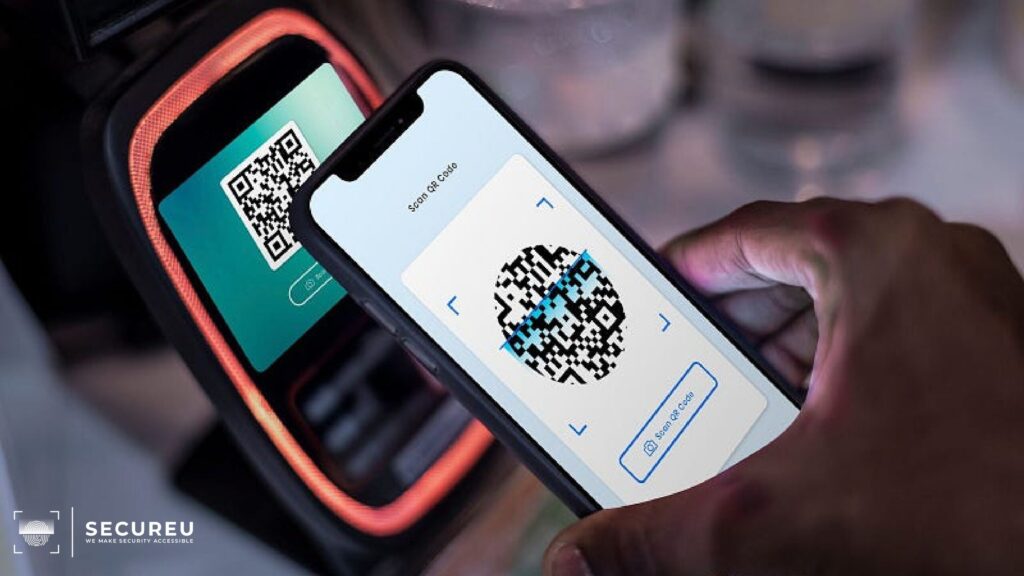
A Quick Peek into the Terrifying World of UPI Frauds UPI frauds have grown exponentially in recent years. Take a look at how UPI fraud happens and the different varieties of UPI fraud. While the world moving online has led to great strides in improving our quality of life and making payments easier, it has also opened up new avenues for cyber fraud such as UPI scams. Although online payment systems have made cashless transactions very easy, they have also made us vulnerable and created new opportunities for online fraudsters. Today, all you need to send and receive money is a UPI ID and a pin. Sadly, UPI frauds are a common occurrence these days. According to the Ministry of Home Affairs data, there was a 15.3% rise in cyber fraud complaints between the first and second quarters of 2022. However, if we educate ourselves and remain vigilant, we can greatly reduce the risk of falling prey to UPI fraud. What is UPI and How Does it Work? UPI (Unified Payments Interface) is an instant payment system that has been developed by the National Payments Corporation of India (NPCI). It facilitates inter-bank peer-to-peer and person-to-merchant transactions. Users can make simple bank transactions with the help of a mobile platform using a UPI pin. UPI makes it very easy and quick to conduct mobile transactions with just one click by making use of a certified digital payment app like GooglePay or Paytm. Now, what is a UPI fraud? Well, any type of threat or malicious act that involves using UPI and fooling a victim into paying money or making a transaction is called a UPI fraud. How do Hackers Execute UPI Frauds? Hackers generally tend to follow a set pattern when it comes to phoney transactions and UPI fraud. Some of the steps are as follows: Common Types of UPI Frauds Let us now take a look at the different ways in which UPI scams and UPI frauds take place: Tips to Prevent UPI Fraud Here are some basic Dos and Don’ts that you can use to help yourself avoid UPI scams: Reach out to us today & let’s talk about how we can help you!
Terrifying World of UPI Frauds Read More »
A Quick Peek into the Terrifying World of UPI Frauds UPI frauds have grown exponentially in recent years. Take a look at how UPI fraud happens and the different varieties of UPI fraud. While the world moving online has led to great strides in improving our quality of life and making payments easier, it has also opened up new avenues for cyber fraud such as UPI scams. Although online payment systems have made cashless transactions very easy, they have also made us vulnerable and created new opportunities for online fraudsters. Today, all you need to send and receive money is a UPI ID and a pin. Sadly, UPI frauds are a common occurrence these days. According to the Ministry of Home Affairs data, there was a 15.3% rise in cyber fraud complaints between the first and second quarters of 2022. However, if we educate ourselves and remain vigilant, we can greatly reduce the risk of falling prey to UPI fraud. What is UPI and How Does it Work? UPI (Unified Payments Interface) is an instant payment system that has been developed by the National Payments Corporation of India (NPCI). It facilitates inter-bank peer-to-peer and person-to-merchant transactions. Users can make simple bank transactions with the help of a mobile platform using a UPI pin. UPI makes it very easy and quick to conduct mobile transactions with just one click by making use of a certified digital payment app like GooglePay or Paytm. Now, what is a UPI fraud? Well, any type of threat or malicious act that involves using UPI and fooling a victim into paying money or making a transaction is called a UPI fraud. How do Hackers Execute UPI Frauds? Hackers generally tend to follow a set pattern when it comes to phoney transactions and UPI fraud. Some of the steps are as follows: Common Types of UPI Frauds Let us now take a look at the different ways in which UPI scams and UPI frauds take place: Tips to Prevent UPI Fraud Here are some basic Dos and Don’ts that you can use to help yourself avoid UPI scams: Reach out to us today & let’s talk about how we can help you!

Your Smartphone Might Have Been Compromised? Smartphones have crept their way into every aspect of our lives. No matter what you need, there is most likely an app available for it. And yet, in spite of our excessive use of smartphones, most of us are unaware of the exact extent of the threats we may face while using these devices. Mobile security threats are growing daily and now account for more than 60% of digital fraud ranging from stolen passwords to phishing attacks. Security is even more essential since we now use our phones to conduct online transactions and banking. Your Smartphone Might Have Been Compromised Fortunately, mobile phones can still be used safely by keeping yourself informed and taking the necessary precautions. Let us take a look at some threats that smartphone users may face. Unsecured WiFi When wireless hot spots are available nearly everywhere, why would anyone want to use up their cellular data? However, it should be noted that free WiFi networks are generally not secured. When you connect to public WiFi networks that do not require passwords or use encryption, you can allow anyone near you to spy on your online activity. Cybercriminals can create fake WiFi hotspots to trick users into connecting to them and can then steal the user’s data. For instance, these phony networks can direct you to a webpage that looks exactly like your bank’s website and then steal your password when you attempt to log in. Public WiFi networks are not as secure as private ones as there is no way of knowing who set up the network or how it is secured if it is secured at all. There is also no way of knowing who is accessing or monitoring the network. It is best to not connect to just any network that you find. If it is absolutely necessary, ensure that you do not perform any activity (like entering passwords or banking) that may compromise you. Data Leakage Often, mobile apps are the reason behind the unintentional leakage of data. “Riskware” apps pose a real threat to mobile users as they grant them varied permissions without checking the security. Generally, these are the free apps that are found in official app stores. They usually perform as advertised, but also send personal — and even possibly corporate — data to remote servers where it is used by advertisers. If these remote servers are compromised, or if a technical error leaves them prone to attack, the collected data can be used by cybercriminals for fraud. Hostile enterprise-signed mobile apps can also lead to data leakage. Such mobile malware programs use distribution code native to famous mobile OSs like Android to transport valuable data across networks without raising suspicion. To avoid data leakage, one should only give permissions that are absolutely essential for the app to perform its functions. Adjust the security controls on your mobile so that apps only collect limited data and do not install any apps that ask for more permissions than required. A common worry of many mobile users is malware sending data to cybercriminals. However, more than malware that users should be worried about but spyware instead. Often spyware can be installed by spouses, employers, or coworkers to keep track of the victim’s activities and whereabouts. Spyware is also known as stalkerware and these apps are created to be loaded on the victim’s device without their permission or knowledge to survey or collect data. Spyware is most commonly installed on mobile phones when the user clicks on malicious advertisements or through scams that trick users into unintentionally downloading it. Spyware is designed to allow very invasive digital monitoring through smartphones and one should be wary of apps that promise to surveil the activities of your children or loved ones through their mobile devices. These apps can be used by abusers to secretly listen to conversations, take pictures, read texts and emails, and track the phone’s location amongst other things. Less insidious apps can still gather information about what you do on your phone. One should avoid mobile apps that ask for a lot of permissions or permissions that have anything to do with accessibility. Accessibility permissions give apps the power to read the text in other apps or control other apps. Phishing Cybercriminals will often use text messages, voice mails, as well as emails to trick their targets into revealing sensitive information like passwords, clicking on malicious links, or confirming transactions. This practice is called phishing, which happens to be the most successful and hence most often used method that cybercriminals use to attack their victims. As mobiles are always on, they are the most common targets for phishing attacks. As mobile users often check their email in real-time, they are more susceptible to being a target of phishing. Mobile device users are more vulnerable as email applications display less information to adjust to the smaller screen size. Even when opened, an email may only show the sender’s name unless the header information bar is expanded. This is why one should never click on unknown email links. And unless the matter is urgent, it is best to let the response wait until you can access a computer. To avoid becoming a victim of phishing, you should always confirm who is calling you for your personal information. For instance, if the caller claims to be calling from the bank, you can say that you will call back using the bank’s official number. One should also not respond to messages claiming you have won prize money or any other such scenario and delete those messages immediately as they are generally scams. Network Spoofing Hackers may set up fake access points, i.e. connections that look like WiFi networks but are bait, in public locations with high traffic like restaurants, libraries, etc. This is called network spoofing. Cybercriminals also give access points names that encourage users to connect to them such as “Coffeehouse WiFi” or “Free Airport WiFi”. Often, hackers will force users to
Your Smartphone Might Have Been Compromised? Read More »
Your Smartphone Might Have Been Compromised? Smartphones have crept their way into every aspect of our lives. No matter what you need, there is most likely an app available for it. And yet, in spite of our excessive use of smartphones, most of us are unaware of the exact extent of the threats we may face while using these devices. Mobile security threats are growing daily and now account for more than 60% of digital fraud ranging from stolen passwords to phishing attacks. Security is even more essential since we now use our phones to conduct online transactions and banking. Your Smartphone Might Have Been Compromised Fortunately, mobile phones can still be used safely by keeping yourself informed and taking the necessary precautions. Let us take a look at some threats that smartphone users may face. Unsecured WiFi When wireless hot spots are available nearly everywhere, why would anyone want to use up their cellular data? However, it should be noted that free WiFi networks are generally not secured. When you connect to public WiFi networks that do not require passwords or use encryption, you can allow anyone near you to spy on your online activity. Cybercriminals can create fake WiFi hotspots to trick users into connecting to them and can then steal the user’s data. For instance, these phony networks can direct you to a webpage that looks exactly like your bank’s website and then steal your password when you attempt to log in. Public WiFi networks are not as secure as private ones as there is no way of knowing who set up the network or how it is secured if it is secured at all. There is also no way of knowing who is accessing or monitoring the network. It is best to not connect to just any network that you find. If it is absolutely necessary, ensure that you do not perform any activity (like entering passwords or banking) that may compromise you. Data Leakage Often, mobile apps are the reason behind the unintentional leakage of data. “Riskware” apps pose a real threat to mobile users as they grant them varied permissions without checking the security. Generally, these are the free apps that are found in official app stores. They usually perform as advertised, but also send personal — and even possibly corporate — data to remote servers where it is used by advertisers. If these remote servers are compromised, or if a technical error leaves them prone to attack, the collected data can be used by cybercriminals for fraud. Hostile enterprise-signed mobile apps can also lead to data leakage. Such mobile malware programs use distribution code native to famous mobile OSs like Android to transport valuable data across networks without raising suspicion. To avoid data leakage, one should only give permissions that are absolutely essential for the app to perform its functions. Adjust the security controls on your mobile so that apps only collect limited data and do not install any apps that ask for more permissions than required. A common worry of many mobile users is malware sending data to cybercriminals. However, more than malware that users should be worried about but spyware instead. Often spyware can be installed by spouses, employers, or coworkers to keep track of the victim’s activities and whereabouts. Spyware is also known as stalkerware and these apps are created to be loaded on the victim’s device without their permission or knowledge to survey or collect data. Spyware is most commonly installed on mobile phones when the user clicks on malicious advertisements or through scams that trick users into unintentionally downloading it. Spyware is designed to allow very invasive digital monitoring through smartphones and one should be wary of apps that promise to surveil the activities of your children or loved ones through their mobile devices. These apps can be used by abusers to secretly listen to conversations, take pictures, read texts and emails, and track the phone’s location amongst other things. Less insidious apps can still gather information about what you do on your phone. One should avoid mobile apps that ask for a lot of permissions or permissions that have anything to do with accessibility. Accessibility permissions give apps the power to read the text in other apps or control other apps. Phishing Cybercriminals will often use text messages, voice mails, as well as emails to trick their targets into revealing sensitive information like passwords, clicking on malicious links, or confirming transactions. This practice is called phishing, which happens to be the most successful and hence most often used method that cybercriminals use to attack their victims. As mobiles are always on, they are the most common targets for phishing attacks. As mobile users often check their email in real-time, they are more susceptible to being a target of phishing. Mobile device users are more vulnerable as email applications display less information to adjust to the smaller screen size. Even when opened, an email may only show the sender’s name unless the header information bar is expanded. This is why one should never click on unknown email links. And unless the matter is urgent, it is best to let the response wait until you can access a computer. To avoid becoming a victim of phishing, you should always confirm who is calling you for your personal information. For instance, if the caller claims to be calling from the bank, you can say that you will call back using the bank’s official number. One should also not respond to messages claiming you have won prize money or any other such scenario and delete those messages immediately as they are generally scams. Network Spoofing Hackers may set up fake access points, i.e. connections that look like WiFi networks but are bait, in public locations with high traffic like restaurants, libraries, etc. This is called network spoofing. Cybercriminals also give access points names that encourage users to connect to them such as “Coffeehouse WiFi” or “Free Airport WiFi”. Often, hackers will force users to

In December of 2012, a virus named Stuxnet crippled Iranian nuclear facilities. In development since at least 2005, this virus was discovered in 2010 and is a prime example of a virus whose threat extends far beyond the digital space. What is Stuxnet? Stuxnet is a very powerful computer worm that first appeared in 2010 and which also happens to be the biggest and most expensive of this type of malware. It is known to have exploited previously unknown Windows zero-day vulnerabilities to infect a target system and spread to other such systems. Stuxnet primarily attacked the centrifuges of Iran’s uranium enrichment facilities. Since then, it has been modified by cyber attackers, and this mutation has allowed it to spread to other energy-producing and industrial facilities. The original Stuxnet attack was aimed at programmable logic controllers (PLCs) that are used to automate machine processes. Although no country has officially owned up to creating Stuxnet, it is largely believed to have been created by the US and Israel in a joint effort. Stuxnet garnered a lot of media attention after its discovery, as it is the first virus known to cripple hardware and cause physical destruction of devices that have been infected with it. Iran’s nuclear programme was greatly crippled by Stuxnet, and owing to its aggressive nature, this virus accidentally spread beyond Iran’s nuclear facilities. However, it did not do much damage to external devices outside of the actual target locations. How Does Stuxnet Work? Stuxnet is a very complex and intrusive piece of malware. It has been designed to only affect targets that have certain configurations and cause minimal damage to other systems and devices. The targeted nuclear facilities in Iran were isolated and air-gapped from the global network, and so Stuxnet was probably transmitted through USB sticks that were carried into these facilities by agents. Stuxnet has code for a man-in-the-middle attack that can fake sensor signals and prevent a target system from shutting down due to unusual behaviour. Stuxnet is also abnormally large and written in multiple programming languages, and spreads fast. Three systemic layers are targeted by Stuxnet: Windows OS, Siemens PCS 7, WinCC, and STEP7 industrial software apps Siemens S7 PLC Windows systems were infiltrated by Stuxnet by exploiting several zero-day vulnerabilities like remote code execution. It utilised enabled printer sharing or LNK/PIF vulnerability executing the file when it was viewed in Windows Explorer. This malware can gain access at the user level as well as the kernel level. The device drivers in Stuxnet are signed by two public certificates, which enables it to access kernel drivers without the knowledge of the user. Because of this, Stuxnet could remain undiscovered for a long time. Once it has infiltrated Windows systems, Stuxnet proceeds to infect files that belong to Siemens industrial software applications and interrupts their communications. It modifies the code on PLC devices too. Stuxnet instals malware blocks in PLC monitors and repeatedly changes the frequency of the system. It alters the operation of motors by changing the rotational speed. Stuxnet also has a rootkit that helps the worm hide from monitoring systems. What Did Stuxnet Do? Stuxnet is reported to have destroyed several centrifuges in Iran’s Natanz uranium enrichment facility by making them burn out. Since then, Stuxnet has been modified by other malicious groups to make it capable of targeting facilities such as water treatment plants, gas lines, and power plants. Stuxnet is a multi-part worm that is believed to have travelled on USB drives and spread through systems running Windows. This virus scanned every infected computer for signs of Siemens Step 7 software. Siemens Step 7 software is used by industrial computers used as PLCs that automate and monitor electro-mechanical equipment. Once a PLC computer was found, Stuxnet updated its code over the Internet and started sending damaging instructions to the electro-mechanical equipment controlled by the affected system. Simultaneously, it also sent false feedback to the main controller so that anyone monitoring the equipment would not have any idea of an attack being underway until the equipment began to destroy itself. Stuxnet’s History Though it had been in development since 2005, Stuxnet was first identified and reported in 2010. The first known version of Stuxnet is Stuxnet 0.5 [McD13]. In January 2010, the inspectors who visited the Natanz uranium enrichment plant noted that its centrifuges were failing at an unusual rate. They were unable to detect the cause of this failure at the time. Another five months passed and researchers found malicious files in one of the systems. The worm started spreading around March 2010, but its first variant was found in 2009. On July 15, 2010, the worm became widely known because of a DDoS attack on an industrial systems security mailing list. This attack has interrupted a necessary source of information for power plants and factories. Stuxnet spread in two waves. The second wave was more visible and less targeted than the first. It was during the second wave that Stuxnet came to be known to the public, as it was more aggressive and widespread. This worm managed to infiltrate and infect more than 20,000 devices in 14 Iranian nuclear facilities and destroyed around 900 centrifuges. Although Stuxnet didn’t cause a lot of damage outside its target area, it provides an example for later malware that targets various infrastructures. Modified versions of Stuxnet target non-nuclear facilities as well. The Offsprings of Stuxnet Stuxnet had a massive influence on the development of future malware. While the creators of Stuxnet reportedly designed it to expire in June 2012, the legacy of Stuxnet survives in other malware based on the original code. The “offsprings” of Stuxnet are as follows: Duqu is a group of computer malware that also exploits zer0-day vulnerabilities in Windows. Based on the Stuxnet code, it was created to log keystrokes and collect data from industrial facilities, possibly to launch an attack later. It is very similar to Stuxnet and also targets Iranian nuclear entities. Like its predecessor Stuxnet, Flame also travelled via
A Worm Named Stuxnet Read More »
In December of 2012, a virus named Stuxnet crippled Iranian nuclear facilities. In development since at least 2005, this virus was discovered in 2010 and is a prime example of a virus whose threat extends far beyond the digital space. What is Stuxnet? Stuxnet is a very powerful computer worm that first appeared in 2010 and which also happens to be the biggest and most expensive of this type of malware. It is known to have exploited previously unknown Windows zero-day vulnerabilities to infect a target system and spread to other such systems. Stuxnet primarily attacked the centrifuges of Iran’s uranium enrichment facilities. Since then, it has been modified by cyber attackers, and this mutation has allowed it to spread to other energy-producing and industrial facilities. The original Stuxnet attack was aimed at programmable logic controllers (PLCs) that are used to automate machine processes. Although no country has officially owned up to creating Stuxnet, it is largely believed to have been created by the US and Israel in a joint effort. Stuxnet garnered a lot of media attention after its discovery, as it is the first virus known to cripple hardware and cause physical destruction of devices that have been infected with it. Iran’s nuclear programme was greatly crippled by Stuxnet, and owing to its aggressive nature, this virus accidentally spread beyond Iran’s nuclear facilities. However, it did not do much damage to external devices outside of the actual target locations. How Does Stuxnet Work? Stuxnet is a very complex and intrusive piece of malware. It has been designed to only affect targets that have certain configurations and cause minimal damage to other systems and devices. The targeted nuclear facilities in Iran were isolated and air-gapped from the global network, and so Stuxnet was probably transmitted through USB sticks that were carried into these facilities by agents. Stuxnet has code for a man-in-the-middle attack that can fake sensor signals and prevent a target system from shutting down due to unusual behaviour. Stuxnet is also abnormally large and written in multiple programming languages, and spreads fast. Three systemic layers are targeted by Stuxnet: Windows OS, Siemens PCS 7, WinCC, and STEP7 industrial software apps Siemens S7 PLC Windows systems were infiltrated by Stuxnet by exploiting several zero-day vulnerabilities like remote code execution. It utilised enabled printer sharing or LNK/PIF vulnerability executing the file when it was viewed in Windows Explorer. This malware can gain access at the user level as well as the kernel level. The device drivers in Stuxnet are signed by two public certificates, which enables it to access kernel drivers without the knowledge of the user. Because of this, Stuxnet could remain undiscovered for a long time. Once it has infiltrated Windows systems, Stuxnet proceeds to infect files that belong to Siemens industrial software applications and interrupts their communications. It modifies the code on PLC devices too. Stuxnet instals malware blocks in PLC monitors and repeatedly changes the frequency of the system. It alters the operation of motors by changing the rotational speed. Stuxnet also has a rootkit that helps the worm hide from monitoring systems. What Did Stuxnet Do? Stuxnet is reported to have destroyed several centrifuges in Iran’s Natanz uranium enrichment facility by making them burn out. Since then, Stuxnet has been modified by other malicious groups to make it capable of targeting facilities such as water treatment plants, gas lines, and power plants. Stuxnet is a multi-part worm that is believed to have travelled on USB drives and spread through systems running Windows. This virus scanned every infected computer for signs of Siemens Step 7 software. Siemens Step 7 software is used by industrial computers used as PLCs that automate and monitor electro-mechanical equipment. Once a PLC computer was found, Stuxnet updated its code over the Internet and started sending damaging instructions to the electro-mechanical equipment controlled by the affected system. Simultaneously, it also sent false feedback to the main controller so that anyone monitoring the equipment would not have any idea of an attack being underway until the equipment began to destroy itself. Stuxnet’s History Though it had been in development since 2005, Stuxnet was first identified and reported in 2010. The first known version of Stuxnet is Stuxnet 0.5 [McD13]. In January 2010, the inspectors who visited the Natanz uranium enrichment plant noted that its centrifuges were failing at an unusual rate. They were unable to detect the cause of this failure at the time. Another five months passed and researchers found malicious files in one of the systems. The worm started spreading around March 2010, but its first variant was found in 2009. On July 15, 2010, the worm became widely known because of a DDoS attack on an industrial systems security mailing list. This attack has interrupted a necessary source of information for power plants and factories. Stuxnet spread in two waves. The second wave was more visible and less targeted than the first. It was during the second wave that Stuxnet came to be known to the public, as it was more aggressive and widespread. This worm managed to infiltrate and infect more than 20,000 devices in 14 Iranian nuclear facilities and destroyed around 900 centrifuges. Although Stuxnet didn’t cause a lot of damage outside its target area, it provides an example for later malware that targets various infrastructures. Modified versions of Stuxnet target non-nuclear facilities as well. The Offsprings of Stuxnet Stuxnet had a massive influence on the development of future malware. While the creators of Stuxnet reportedly designed it to expire in June 2012, the legacy of Stuxnet survives in other malware based on the original code. The “offsprings” of Stuxnet are as follows: Duqu is a group of computer malware that also exploits zer0-day vulnerabilities in Windows. Based on the Stuxnet code, it was created to log keystrokes and collect data from industrial facilities, possibly to launch an attack later. It is very similar to Stuxnet and also targets Iranian nuclear entities. Like its predecessor Stuxnet, Flame also travelled via